



Office conversations can pull you away from a task even when the room is not especially loud. The right noise cancelling headphones for office noise can help, but reducing a steady air-conditioning hum is different from making nearby conversations easier to ignore.
This guide explains why office chatter breaks your focus, how fit, ANC, and quiet background audio can help, and what to check at your own desk. If you also take calls, you’ll learn why a quieter listening experience does not always mean coworkers hear less background noise.
The Office Is Not One Kind of Noise
Office sound usually falls into three practical groups. Ventilation, computer fans, and distant traffic create stable background noise. Doors, footsteps, and keyboard taps are brief, intermittent events. Conversation is both variable and continuous, with frequent changes in pitch, rhythm, volume, and direction.
Start by naming the dominant problem. ANC is often useful when low rumble fills the room. A secure over-ear seal matters more when speech detail remains clear. If recognizable words keep pulling your attention away from a document, the goal may be to reduce their intelligibility rather than chase the lowest possible overall sound level.

Why Voices Steal Attention
Speech disrupts focus through sound variation and meaning. Even unfamiliar speech changes from moment to moment, making it harder to treat as background than a steady fan. Those changes can interfere with tasks that depend on holding steps, order, or short sequences in mind.
Understandable conversation adds semantic competition. While you read, write, edit copy, or interpret labels in a design, nearby words can compete with the language processing your task already requires. You may not remember the conversation, but you can still lose your place and need to rebuild the thought you were holding.
The effect varies by task. Language-heavy work is more exposed to the meaning of speech. During visual or technical work, sudden changes and attention shifts may be the larger disruption. This is why the best response begins with the task, not only the measured loudness of the room.

How Headphones Reduce Office Noise
Headphones can make office noise less distracting in three ways: physically blocking some sound, reducing it with ANC, and making nearby speech less noticeable with background audio.
A good seal helps soften speech. Over-ear cushions form a barrier around your ears, reducing some outside sound and making nearby words less clear. Gaps caused by glasses, hair, or worn cushions can weaken that barrier, so fit matters as much as the headphones themselves.
ANC helps quiet steady background noise. Active noise cancellation uses microphones and an opposing sound signal to reduce incoming noise. It generally works best on steady, low-frequency sounds such as air-conditioning hum and traffic rumble. Nearby speech is harder to reduce consistently, so you may still hear parts of a conversation.
Quiet background audio can make conversation less distracting. Instrumental music or rain sounds can make nearby words harder to follow. This masks speech rather than removing it. Keep the volume low and choose something that does not compete with your work; lyrics may be distracting when you are reading or writing.
What You Hear and What Your Coworkers Hear
Your headphones may make the office sound quieter to you while coworkers still hear nearby conversations through your microphone. These are two separate problems, so it helps to check them separately.
The ear-cup seal and ANC reduce the noise you hear. Microphones and call-processing software help control what reaches the people on your call. For example, Microsoft Teams noise suppression reduces background noise picked up by your microphone; it does not make your surroundings sound quieter through the headphones.
If office chatter breaks your concentration, focus on fit, ANC, and quiet background audio. If coworkers hear too much of the room, make a test call from your desk. Confirm that the intended microphone is selected, then compare the meeting app’s noise suppression settings. Ask whether your words remain clear as well as whether the background sounds quieter.
Test Your Headphones at Your Desk
Try the headphones where you normally work, using a reading or writing task that nearby conversation often interrupts. Keep your position and surroundings as consistent as possible, and change one setting at a time.
- Start with the fit. With ANC off and no audio playing, adjust the headband and ear cups so the cushions sit evenly around your ears. Wear your usual glasses and check for gaps. Notice whether nearby speech sounds less distinct.
- Compare ANC on and off. Keep playback paused and continue the same task while switching between settings. Listen for changes in ventilation noise and nearby conversation separately. A quieter background can still be useful even if you can hear some words.
- Add quiet background audio if needed. Turn ANC on, then try rain sounds or instrumental music at a low, comfortable volume. Check whether conversation becomes easier to ignore while you work. If the added sound is distracting too, try another option or turn it off.
- Check the microphone if you take calls. Pause the background audio and make a test call in your usual meeting app. Confirm that the headphone microphone is selected, then ask whether your voice is clear over the office noise. If needed, adjust the app’s noise suppression and repeat.
Keep the headphones on during a longer stretch of work to check for pressure, heat, or frequent readjustment. When comparing over-ear headphones, look for a fit you can comfortably maintain.
How Space 2 Pro Fits into Your Office Routine
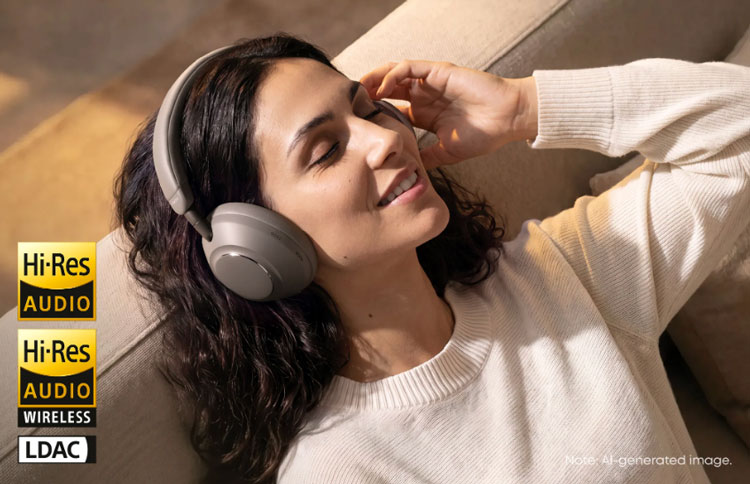
The over-ear design of Anker soundcore Space 2 Pro is well suited to office routines that alternate between focused work, calls, and music. Adaptive ANC 3.0 uses an eight-microphone omnidirectional system to reduce mixed workplace noise, including nearby conversations, keyboard clicks, and HVAC hum. At 262 g, with upgraded protein-leather cushions and slow-rebound memory foam, it is also built for longer desk sessions.
During calls, the ANKER Thus™ AI Chip works with a six-microphone array to separate your voice from background noise in real time. When you switch back to music, HearID 5.0 creates a personalized EQ profile, while LDAC supports high-resolution wireless playback on compatible devices.
Run the desk test above in the room and meeting apps you use every day. That real-world result matters more than any single specification.
Conclusion
The goal is to make office chatter less distracting so you can stay with your work. Start with a comfortable fit and use ANC to reduce background noise, adding quiet music or ambient sound if nearby conversations still pull your attention away.
If you also take calls, check that coworkers can hear your voice clearly. Explore noise cancelling headphones with your daily routine in mind. Choose a pair that helps you concentrate at your desk and stays comfortable through the work you need to finish.
Frequently Asked Questions
Why Is Nearby Conversation More Distracting Than Air-Conditioning Noise?
Conversation changes in volume, rhythm, and speaker, making it harder to ignore than a steady hum. When you understand the words, their meaning can also compete for your attention, especially while you are reading or writing.
Can Noise-Cancelling Headphones Block Office Conversations?
They can reduce nearby speech, but you should not expect complete silence. ANC generally works best on steady, low-frequency noise. Well-fitting ear cups and quiet background audio may make conversations less distinct and easier to ignore.
Can Coworkers Still Hear Office Noise When My ANC Is On?
Yes. ANC reduces the noise you hear; it does not necessarily remove noise picked up by your microphone. What coworkers hear depends on the selected microphone, surrounding noise, and the meeting app’s audio processing. Make a test call to check both voice clarity and background noise.
Should I Choose a Headset with a Boom Microphone for Office Calls?
A boom microphone is worth considering if you spend much of the day on calls, because it can sit close to your mouth. Some headsets also include ANC for focused work between meetings. Check comfort, mute controls, and voice clarity in your usual meeting app before choosing.