


If your brand doesn’t have a social media presence in 2026, you’re definitely leaving money on the table. On average, stores with even one social media account make up to 32% more sales than ones without. But having the account is one thing; making the content is another.
In the digital age, trends rise and fall every week. Businesses that have the marketing finesse to hop on them earn something even more precious than a quick sale or the odd batch of followers. They earn brand visibility, a lasting memory in the public’s eye. There are several examples; just think of Scrub Daddy and The Pink Stuff.
But with that said, those companies have the budget and the team to hop on extended social media campaigns with large productions. As a small business owner, you might not have those resources. But what you do have is AI.
The Gap Between an Idea and an Ad
The difference between your small business and bigger brands in scaling trends is speed. Most trends barely last a week. Larger ones like the Jet2Holiday anthem in 2025 and the Spider-Man ceiling trend in 2026 can last weeks, but trend timelines are unpredictable, and weeks still aren’t enough time to write a script, get a crew, hire actors, find a location, shoot, edit, etc., for multiple videos in search of virality, assuming you have the funds.
But AI tools make this possible. With the right AI tool, you can have a concept, characters, camera settings, scene placement, assets, and a storyline in about an hour and a video in the next hour. Most importantly, you don’t need to spend hours learning to use it.
Yes, convoluted AI tools exist, and if you don’t have experience with artificial intelligence at all, using one to create a video or generate an image can seem daunting. Fortunately, BuzzHooks comes with quick, clear instructions for generating videos in minutes.
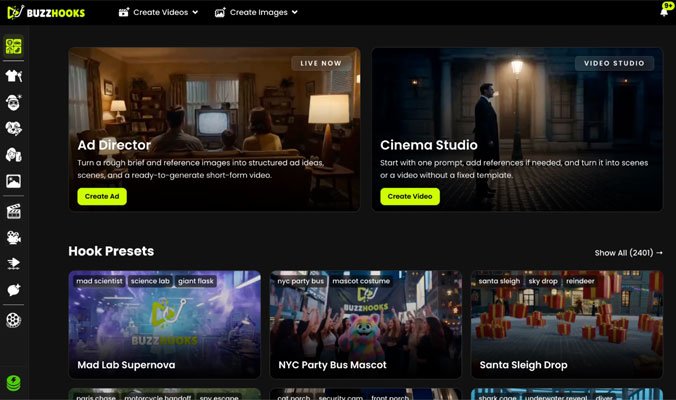
BuzzHooks sits in the same general space as AI video tools like Higgsfield, but its presets and guided flow make it much easier to approach, especially if you’re relatively new to AI. With a clear, user-friendly interface, this tool isn’t intimidating. At first glance, the homepage shows a few main features, a top navigation bar, and a sidebar menu.
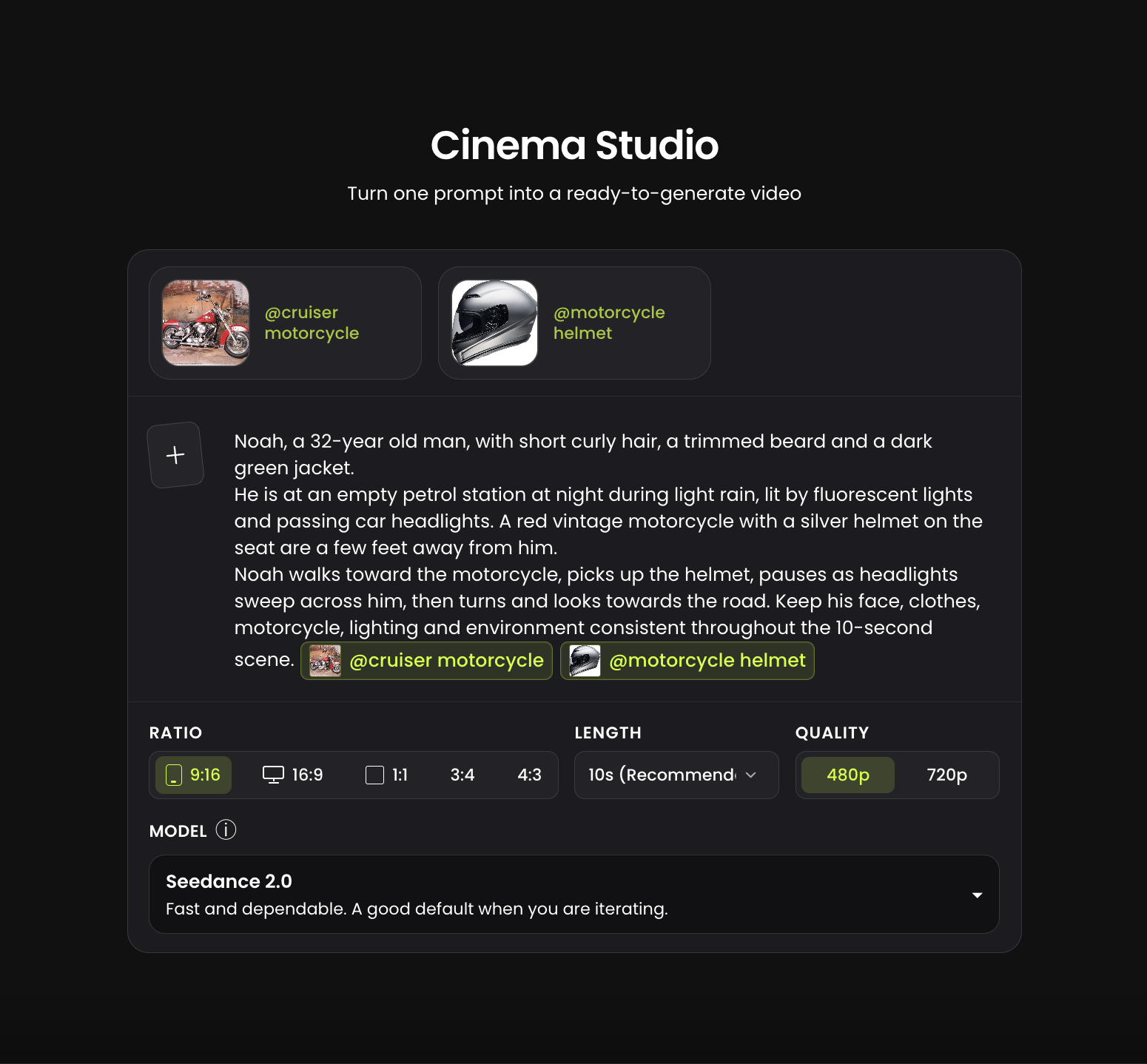
The feature most useful to small business owners looking to start video creation is Cinema Studio. Its process is simple:
- Fill in your brief. Choose your character, setting, assets, and storyline. Add as much detail as you can.
- Use the “+” sign to add a few reference images for your assets, characters, and settings.
- You can choose the scene length (5 to 15 seconds), the aspect ratio, and the video quality (480p or 720p). Longer or higher-quality videos cost more credits
- Click “Create Scenes”.
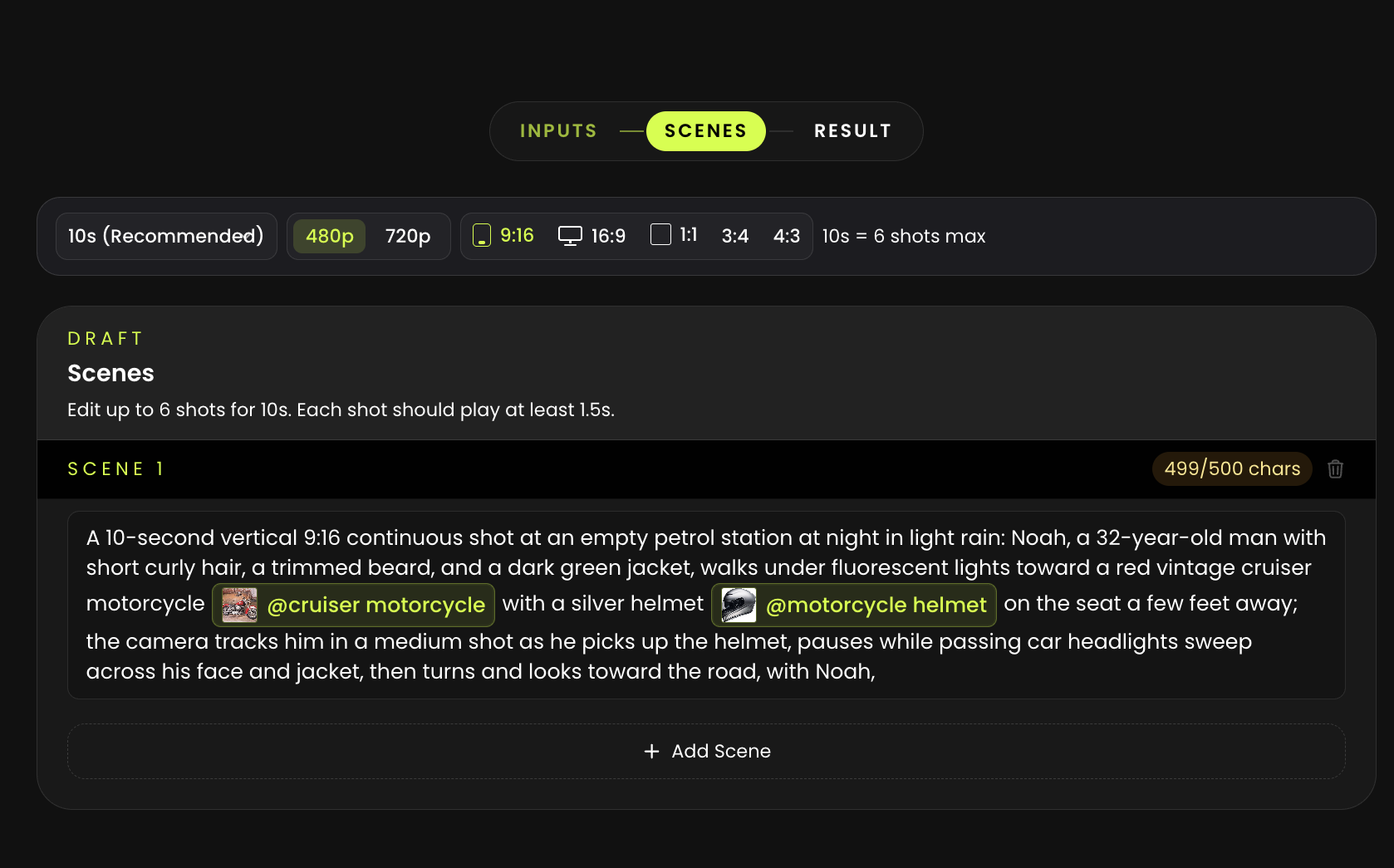
- The tool will generate scenes based on your brief. Edit these to match your vision and then click “Generate Video.”
- You’ll have your video in just a few minutes.
What If You Don’t Have an Idea?
Not a problem. BuzzHooks has literally thousands of presets and templates you can use. With Hook Presets and UGC Presets, you can build a video around a concept, a holiday, an occasion, your industry or a trend without having to develop an idea of your own. This means you don’t have to wait for inspiration before posting, which is useful when a trend, holiday, or promotion only gives you a few days to work with.
The interface for both features is a bit more detailed than Cinema Studio as it includes more elements, but it’s pretty workable regardless. Hook Presets can be used as is, with only a change in main character and the addition of your product or logo,
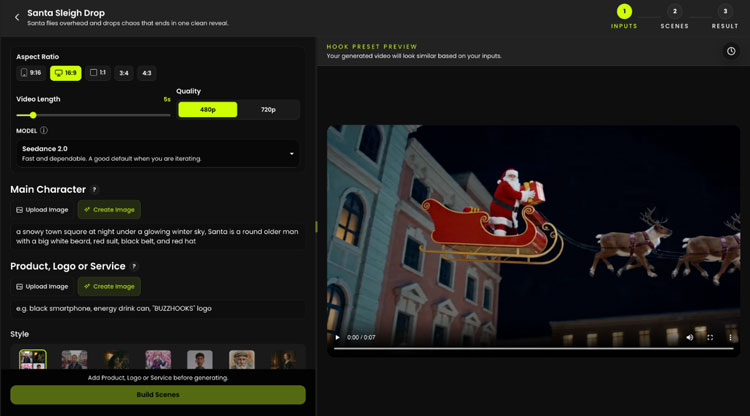
Or with a custom storyline where you can change the style and setting and add more detail in the space provided for Additional Instructions.
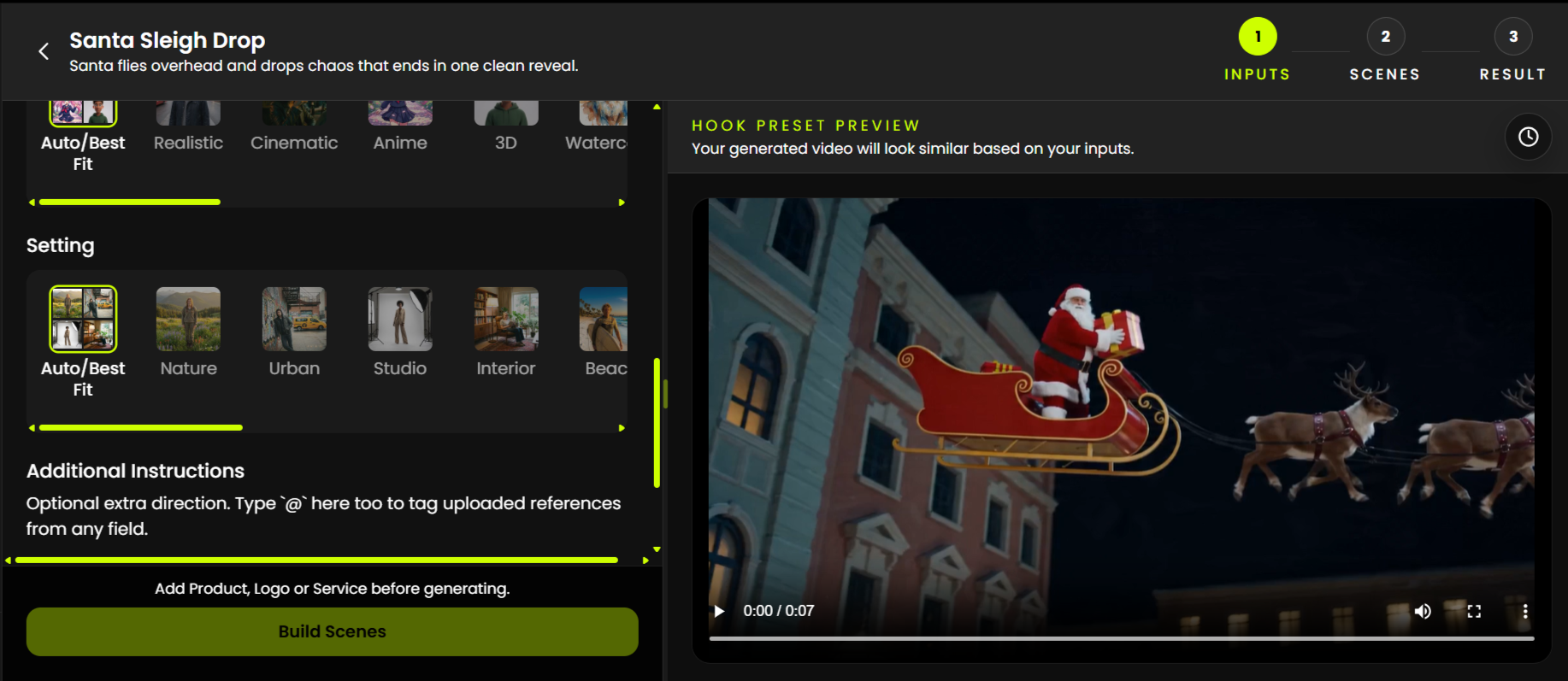
One Product = An Entire Social Campaign
And here’s where things get even more useful. Say you only have one product to push for the week. That doesn’t mean you need one video. With Ad Director, one product can become several ads with different angles, offers, moods, and audiences, without you having to come up with every version yourself.
Start by filling in the product, audience, angle, offer, style, mood, and language of the ad. Add a reference image too, especially if you want the product to actually look like your product.
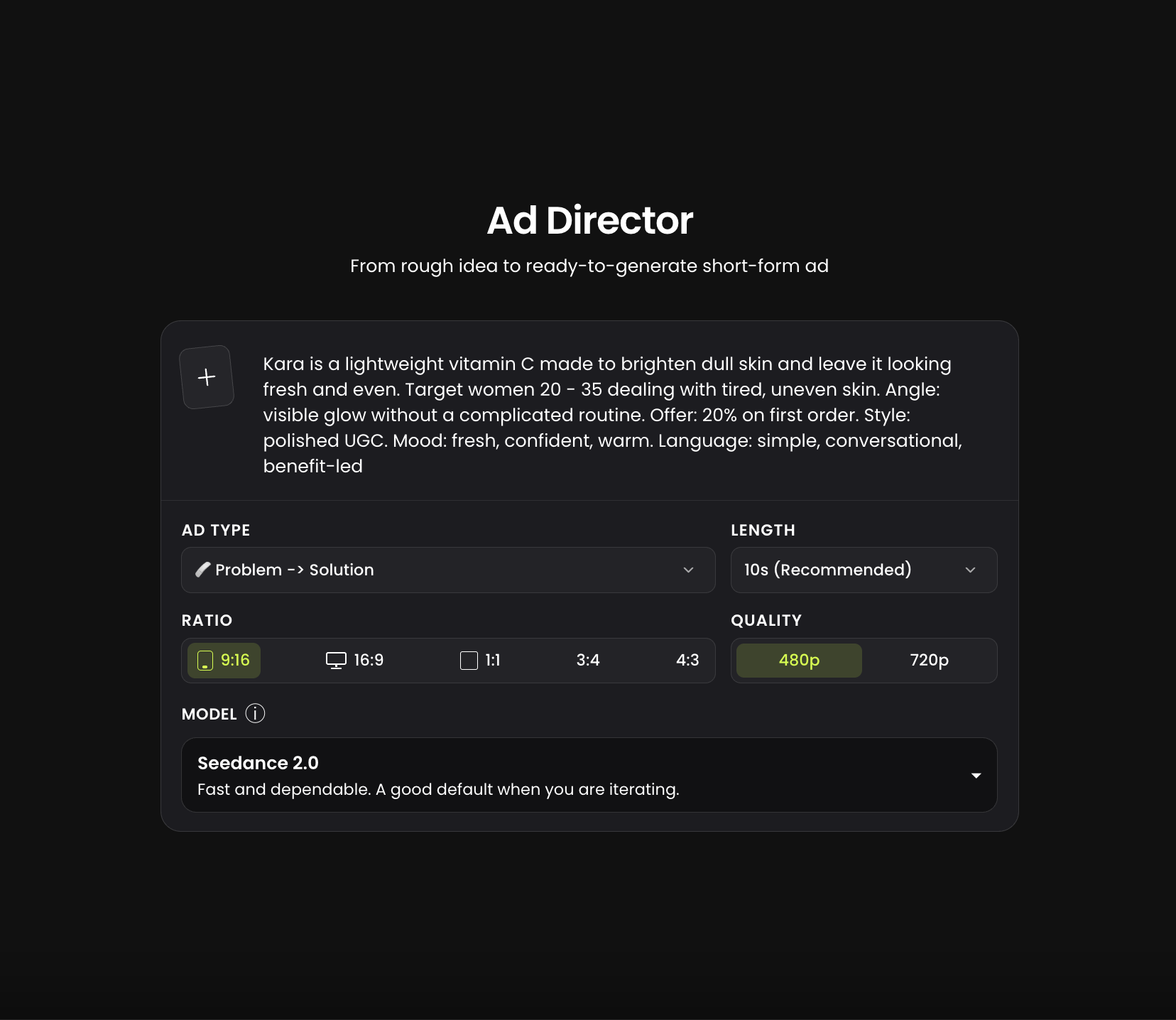
Then, click “Generate Ideas”. In about 30 to 45 seconds, BuzzHooks gives you six different ad concepts based on your brief. They’re not always perfect, and the wording can be a little wonky, but you can edit each one before generating anything.
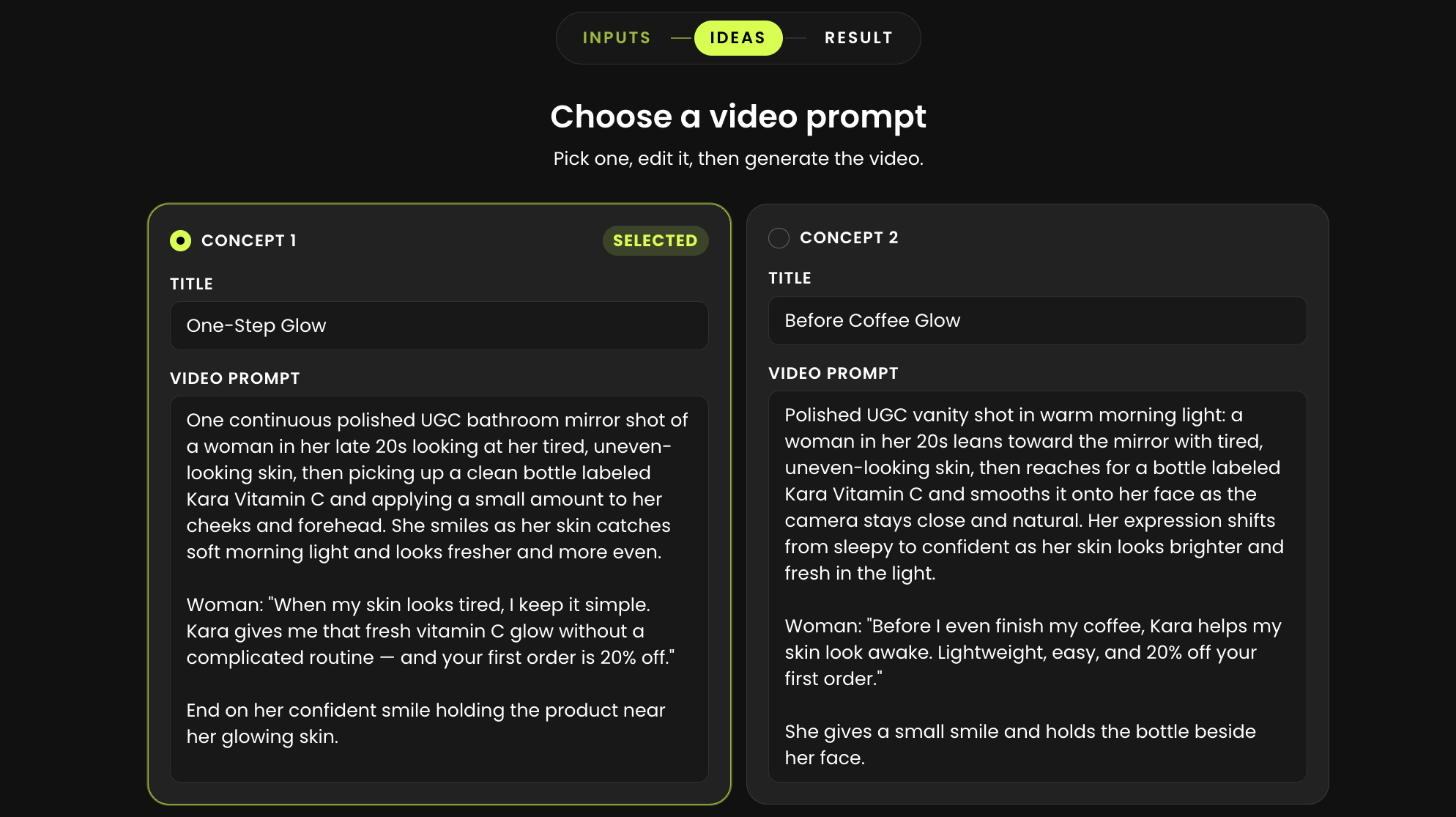
That means the same product can become a problem/solution ad, a testimonial, a seasonal campaign, a UGC-style video or something completely different without you having to start again every time.
For a small business, that’s a big deal. You can test more ideas, post more often, and figure out what your audience actually responds to without spending weeks producing one campaign.
Warning: AI Doesn’t Automatically Make You Good at Marketing
Following trends is only part of the battle. You still need to know what your customers want to see, which trends actually suit your brand, what discounts or promotions you can offer, where and when to offer them, and which videos can be published.
AI can’t determine these things; only you can do the research, generate videos accordingly, edit to ensure quality, and post at the right time. However, you can learn.
Take your time, start slow, and make mistakes. The point is to learn what your audience resonates with through trial and error and observation. Stay steady and consistent, and you’ll get to a point where you’ll know your audience and can make the most of today’s trends.