


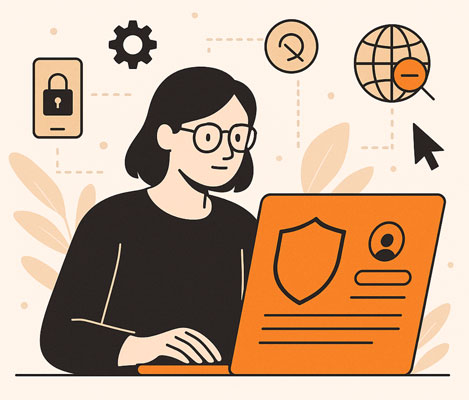
The Illusion of Privacy in a Connected World
Your inbox feels crowded. Apps ask for permission they shouldn’t need. You browse a shoe store, and later your social media platform shows ads for that exact brand. Coincidence? Not likely.
Data moves fast. Most people give away too much personal data before they realize what it costs. The moment you open an online account or download an app, tracking begins. That trail follows you from browser to browser. It links your identity to behaviors you didn’t intend to share.
To regain control of your data, start with tools like ClearNym. Unlike traditional privacy settings, ClearNym focuses on reducing the amount of exposed personal information from the start. You decide what to reveal. Not the platform. Not the algorithm. You.
Permission and the Power of Saying No
Most apps don’t need your location every hour. They don’t need access to your microphone or photos unless you grant it. Yet people often allow everything by default.

Take action instead. Before installing any app, review its privacy policy. If you can’t find one, skip the download. If you find one, but it’s vague or evasive, delete the app. Grant only essential permissions. Revoke the rest.
Here’s a short checklist to audit your apps:
- Open your phone’s settings
- Tap on apps
- Select each app and check permissions
- Disable access to:
- Microphone
- Contacts
- Location (unless navigation)
- Background data
- Microphone
- Revoke permission from apps you no longer use
It takes 5 minutes to reduce how much personal information they collect. That five-minute act can block access to your camera from an app that shouldn’t have it.
Take Control of Your Data: The Power Shift
The phrase “take control” isn’t symbolic. It’s technical. Every login creates a profile. Every swipe builds a pattern. Every time you skip reading the terms, another service collects, stores, and possibly shares your behavior.
Take control of your data by limiting entry points. Start with your password manager. Create unique passwords for every online account. Never reuse credentials. Enable two-factor authentication.
Use a VPN when browsing in public or on unfamiliar Wi-Fi. Most VPNs don’t store your IP address and help mask your location. This alone blocks many attempts to track or fingerprint your activity.

Table: Compare Data Control Tools
| Tool | Purpose | What It Protects | Worth It? |
| Password manager | Stores & encrypts login data | Online accounts, password | Yes |
| VPN | Masks location and IP | IP address, browsing history | Essential |
| ClearNym | Identity shielding | Personal data, social logins | Highly useful |
| Privacy browser | Blocks third-party trackers | Cookies, browsing history | Optional |
| Manual permission | App-by-app privacy setting | Photos, camera, microphone | Absolutely |
Each option does one job. Combined, they become a wall.
Personal Data Deserves Defense
Have you ever shared a post and later regretted it? That’s one layer of exposure. Now imagine every app you’ve ever used silently reading your contacts. It sounds like fiction. It isn’t.
Apps often grant themselves long-term access by exploiting user fatigue. You click “accept” once. They keep collecting for years.
In data privacy week events across global institutions, experts reveal how frequently users give away sensitive details unintentionally. Awareness isn’t just the first step. It’s the foundation.
Browser Awareness and Tracking Alerts
Every time you browse a website, your device sends out a signal. The browser shares device type, language preference, screen resolution, and sometimes your IP address. Add cookies, and that signal becomes a fingerprint.
Some extensions promise privacy. Few deliver. Instead of blindly trusting tools, become mindful of what you click. Check for trackers. Use a browser that blocks third-party scripts. Many popular browsers include alerts when a site tries to access more than expected.
If something seems off, don’t ignore it. Strange pop-ups. Slower loading. Too many redirects. These are clues. Stay alert.
Privacy Settings Are Not Enough
A setting buried deep in your account does not protect your data by itself. Most platforms bury those controls on purpose.
Even worse, users assume toggling one switch gives them safety. But settings change without notice. Updates reset defaults. An app may request new permissions during an update, and unless you manually adjust, it gets them.

Here’s what to do every quarter:
- Open your main social media platform
- Review privacy settings under account
- Revoke access to third-party apps
- Delete anything you don’t recognize
- Recheck location access
- Replace any reused password
- Test your password strength with a password manager
This is not paranoia. It’s routine hygiene.
Protect Your Data or Risk Identity Theft
You wouldn’t give your keys to a stranger. Yet many grant access to their digital life without hesitation. That’s how identity theft starts.
Hackers don’t always break through firewalls. Sometimes they just wait. A reused password. A public email. A birthday listed on a forgotten forum. The smallest slip can become an invitation.
Safeguard what matters. If you no longer use a service, delete your profile. If you suspect an account was compromised, reset your password immediately. Never ignore alerts from your email provider about suspicious logins.
Every step reduces the surface area of attack.
Transparency in the Data Economy
Companies collect by default. They don’t always tell you why. Transparency isn’t just a buzzword. It’s a metric.
Ask questions. Who has your data? What do they do with it? Can you opt out?
During data privacy week panels, specialists stress that transparency begins with awareness. Most data leaks happen not from hacks, but from over-permissioned systems left unchecked.
Transparency is not a form you sign. It’s a right you defend.
Conclusion: Take Back What Belongs to You
You don’t need to live in fear. You need to take control.
The tools exist. The mindset matters. Begin by adjusting how you grant access. Reduce how much personal data leaves your device. Refuse to browse blindly. Empower yourself with real knowledge and clean habits.
Privacy isn’t automatic. But with action, it becomes achievable.
FAQ: Uncommon Questions About Taking Control of Your Personal Data
1. Can my flashlight app really access my microphone?
Yes. If you grant permission, even a flashlight app can activate your microphone or camera. Always check permissions.
2. How do I know if my password was leaked?
Use a password manager that scans breach databases. You’ll be alerted if any of your logins appear in a known data dump.
3. Are browser fingerprinting techniques legal?
They are legal in most regions but controversial. Fingerprinting tracks you without cookies, often invisibly.
4. Should I trust free VPNs?
Be careful. Some free VPNs log your data and sell it. Look for services with clear no-log policies and open audits.
5. Is deleting an app the same as removing my data?
No. Deleting removes the app from your device. You must also request account deletion and data removal from the developer.