


Buying a Counter-Strike 2 skin should take two minutes — but do it on the wrong site or with the wrong method, and you can overpay, wait days for delivery, or hand your details to a scammer. Skins are tradeable items with real resale value, so treating a purchase like any online payment pays off. The upside: a proper marketplace lets you buy CS2 skins with whatever you already use — crypto, PayPal, a card, or an e-wallet. This guide compares them on speed, fees, and safety, then walks you through buying one the right way.
The one rule that saves your money (and your account)
Before the methods, the rule that matters most: the marketplace matters more than the payment type. A credit card on a sketchy site is far riskier than crypto on a trusted one. Three things separate a safe platform from a trap — it logs you in through official Steam (never asks for your password on its own page), it shows the exact price before you confirm, and it protects the transaction end to end. Get those right and every method below is safe. Ignore them, and no payment method will rescue a “90% off” deal that’s too good to be true.
The payment methods at a glance
Not sure which to use? Here’s the quick version before we dig in:
| Method | Speed | Best for | Watch out for |
| Crypto (USDT, BTC, ETH) | Instant–minutes | Speed, privacy, players with a wallet | Needs a funded wallet first |
| Credit / debit card | Instant | Newcomers, “just give me the skin now” | Only pay on a secure, trusted site |
| PayPal | Instant | Buyer protection without sharing card data | Not every marketplace supports it |
| E-wallets & SEPA | Minutes | Skrill/Neteller fans, larger EU buys | Availability varies by region |
Paying with crypto
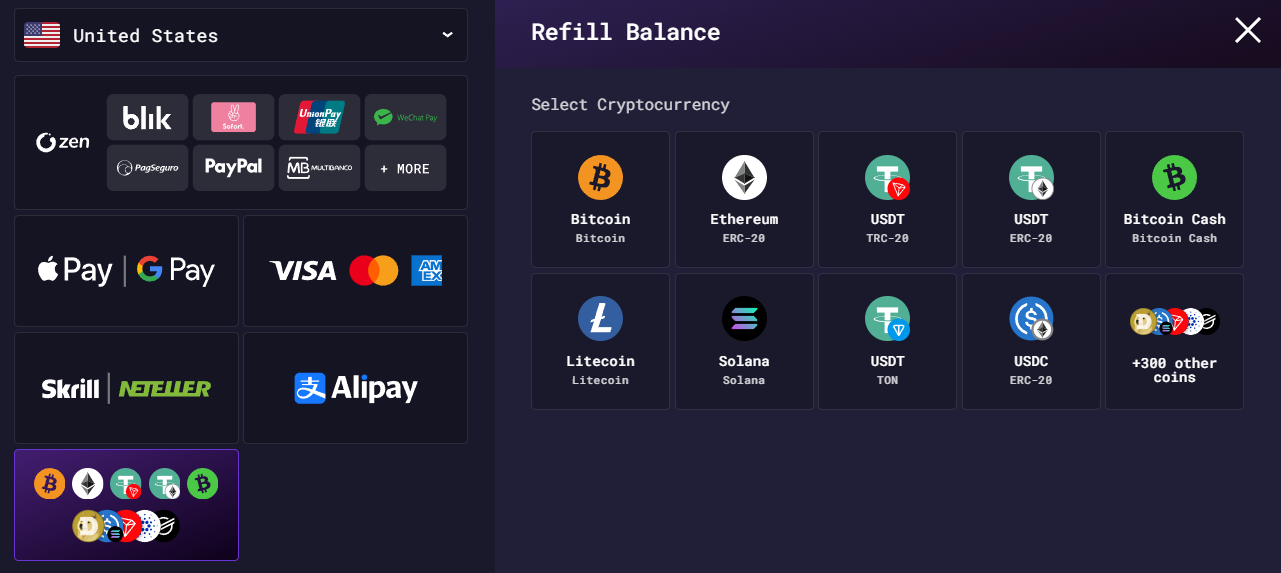
If you value speed and privacy, crypto is the power move. Pay with USDT, Bitcoin or Ethereum and the transfer clears without a bank in the middle — purchases confirm fast and your card number never touches the checkout. It’s also borderless, which is a lifesaver when local cards get rejected by gaming sites. The only catch is you need a funded wallet already, so it suits players who hold crypto over total beginners. Once you’re set up, you can buy CS2 skins with crypto in a few clicks and have the item in your inventory within minutes.
Paying with a card
For most people, a card is still the path of least resistance — no wallet to fund, no extra app, just the Visa or Mastercard already in your pocket. It’s instant, familiar, and lets you top up and check out in one motion, which is why it’s the default for newcomers and anyone who wants the skin now. The one thing to check is that the site handles card data securely; on a trusted marketplace, it’s as safe as any online store. You can buy CS2 skins with a credit card — debit works too — and skip the crypto learning curve entirely.
Paying with PayPal and e-wallets
PayPal is the comfort pick: you check out without handing your card number to the store, and its buyer-side protections are exactly why players trust it. E-wallets like Skrill and Neteller work the same way and are big with the gaming crowd, while SEPA transfers cover Europe for larger buys. The thing to confirm is availability — not every marketplace supports every wallet — so check the option is there before you fall for a skin. Where they’re offered, PayPal and e-wallets hit the sweet spot of convenience and peace of mind.
How to buy a CS2 skin in four steps
The actual process is painless on a good platform:
- Log in through Steam — official login only, so your account stays yours.
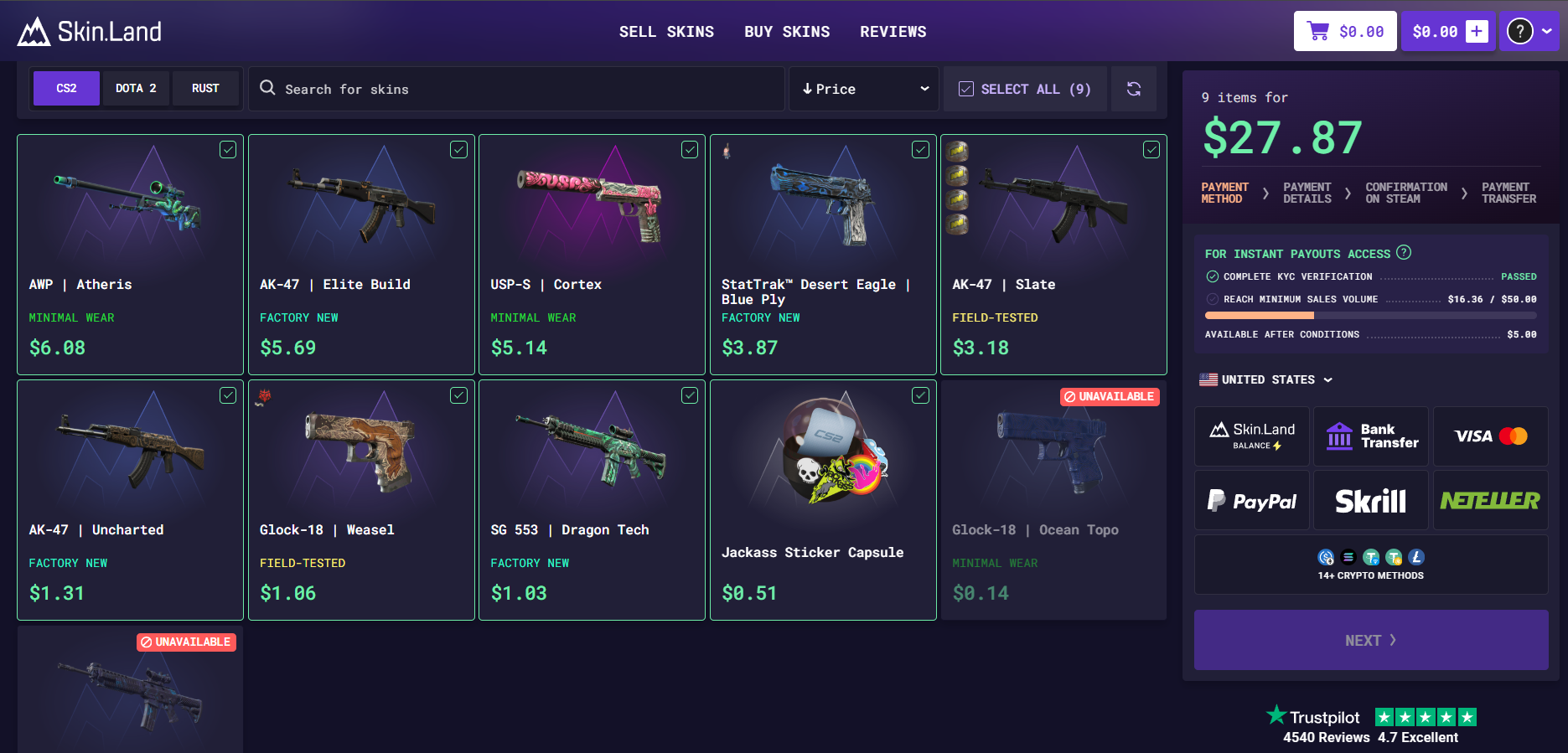
- Pick your skin — filter by weapon, wear, float, and price, and check the exact cost shown up front.
- Choose your method — crypto, card, PayPal, or e-wallet, whichever suits you.
- Get it delivered — on a solid marketplace, the skin lands in your inventory within minutes.
That’s it. No haggling, no mystery fees, no waiting around.

Why Skin.Land is the easy answer
Here’s where it all comes together. Skin.Land supports every method above — crypto (USDT, BTC, ETH), Visa and Mastercard, PayPal, Skrill, Neteller and SEPA — behind one official Steam login, with the price shown before you pay and no hidden fees. A few things make it stand out for buyers:
- A new-player bonus to stretch your first purchase a little further.
- A huge live catalog — millions of skins from $1 sprays to grail knives, all filterable by float and price.
- Instant delivery and payouts, so buying (and later selling) takes minutes, not days.
- A 4.7 “Excellent” Trustpilot rating from thousands of reviews, and an official partnership with CS2 powerhouse Team Vitality.
Pick the payment method that suits you; the safety and the savings come from buying somewhere that does all of them properly. And when it’s time for an upgrade, you can sell CS2 skins for PayPal cash from the very same account — buying and cashing out in one place.
FAQ
What is the best way to buy CS2 skins?
It depends on your priority. Crypto is fastest and most private, cards are the simplest for newcomers, and PayPal or e-wallets add buyer protection without sharing card details. The biggest factor, though, is buying on a trusted marketplace that shows prices up front and uses official Steam login.
Can I buy CS2 skins with PayPal?
Yes, on marketplaces that support it. PayPal lets you pay without exposing your card number and adds its own buyer protections, which is why many players prefer it. Just confirm it’s offered at checkout before you buy.

Is it safe to buy CS2 skins with a credit card?
On an established marketplace with secure payment handling and official Steam login, yes — it’s as safe as any reputable online store. The risk comes from unknown sites, not from cards themselves.
Is buying skins with crypto a good idea?
If you already hold crypto, it’s a great option: fast, private, and borderless, with no card details involved. For complete beginners, a card is usually simpler, since crypto needs a funded wallet first.
How fast do skins arrive after payment?
On a good marketplace, usually within minutes. Instant methods like cards and crypto confirm quickly, and the skin is delivered to your account shortly after the payment clears.
Are there extra fees when buying CS2 skins?
There shouldn’t be. A transparent marketplace shows the exact price before you confirm and charges no hidden fees — the number you see is the number you pay. If a site adds surprise charges at checkout, that’s your cue to leave.