

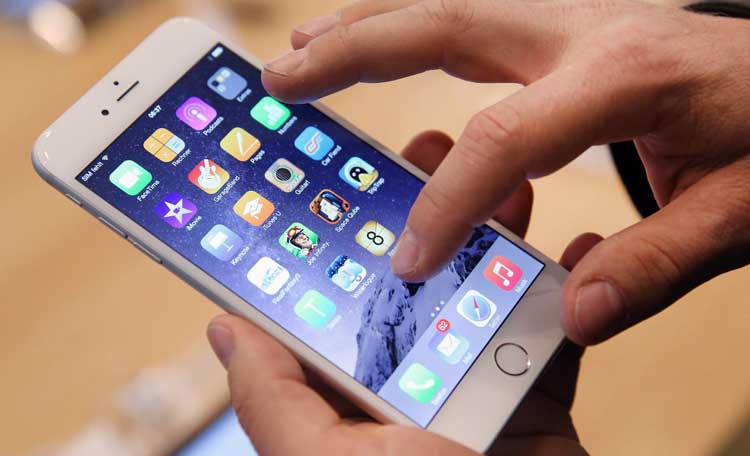
Smartphones can do everything, and that’s the problem. For a lot of older adults, a modern phone feels like a busy kitchen where every timer goes off at once. Tiny icons, too many apps, pop-ups that won’t stop, and spam calls that sound urgent on purpose.
Then there’s battery anxiety. A phone that needs charging every day can become one more chore, not a help.
That’s why the simple cell phone is back. Many people don’t need a pocket computer. They need calls, texts, and a few safety tools that work every time, often paired with straightforward service options like Lively phone plans designed for seniors.
In this post, you’ll learn what’s driving the comeback, which features matter most, and how to pick a phone and plan without overthinking it.
What is driving the comeback of simple phones for seniors?
Only 61% of adults over 65 use a smartphone, in stark contrast with the 96% of those ages 18 to 29. There’s more to the return of the basic phone than just nostalgia. It’s a practical reaction to how complicated phones have gotten, and how stressful they can feel day to day.
Less confusion, less stress, fewer mistakes
Simple phones are less about “old tech” and more about fewer choices for seniors. A clear home screen, big buttons, and short menus reduce frustration. That matters for anyone who feels overwhelmed by touch gestures, hidden settings, or accidental app downloads.
5 things you didn’t know your old phone could do!
For some families, the decision is even more direct. Memory challenges (including dementia), slower processing speed, and reduced vision can turn a smartphone into a daily obstacle. A phone with large fonts, straightforward contacts, and speed dial can restore independence.
Small design choices add up. A tactile keypad helps shaky hands. High contrast text helps tired eyes. Loud ringers help when hearing isn’t what it used to be. Good lighting at home also plays a role, since poor lighting can make screens and buttons harder to read, which is why avoiding common kitchen lighting mistakes can improve everyday visibility.
In other words, “simple” often means “less room to make a mistake.”If using the phone feels stressful, people avoid it. The best phone is the one they’ll actually pick up.
Safety features that matter in real life
Safety is where many modern simple phones quietly shine. A dedicated SOS or urgent response button can save time when someone is scared, injured, or confused. Instead of unlocking a screen and searching for a contact, they press one button.
Some services go further. Lively’s Jitterbug phones, for example, include an urgent response button that can connect to real help through their service. Other phones support caregiver tools, location sharing, or monitoring add-ons, but it varies by model and plan.
Also, don’t ignore the “boring” safety features. A loud speakerphone can prevent misheard instructions. Hearing aid compatibility (when offered) can make calls usable again. Even a bright external screen that shows caller ID can cut down on missed calls.
Features to look for before you buy a simple cell phone
Shopping for a simple phone is easier when you treat it like buying a good lamp. You’re not buying “technology.” You’re buying something that should work in the dark, half-asleep, and with one hand.
Start with everyday usability, then check connectivity, then look at cost.
For many older adults living on a fixed income, managing monthly costs matters just as much as ease of use, which is why practical home upgrades like energy efficiency improvements that lower monthly bills can make everyday expenses easier to handle.
The usability basics, big keys, clear screen, loud audio, and an easy home menu
“Easy” means specific things. Look for a phone that gets these right:
● Big, well-spaced keys so dialing doesn’t feel like threading a needle.
● Clear, high contrast screen with adjustable text size.
● Simple contacts and speed dial so favorite people are always close.
● Loud ring and speaker with strong vibration for missed-call prevention.
● Good call quality (the whole point is talking, after all).
● Charging that feels foolproof, ideally with a dock option if available.
Flip phones often work well here. They tend to protect the screen, they’re usually more durable, and closing the phone ends the call. That physical feedback is underrated.
In fact, sales of “dumb phones” even among 18-to-24-year-olds have increased by almost 150% since the pandemic.
Why I Still Use a Flip Phone (And Why You Should Too!)
Connectivity and spam protection, make sure it works where they live
A phone can be simple and still fail if it doesn’t connect well at home. Before you buy, confirm:
● 4G LTE with VoLTE support (Voice over LTE) so calls stay reliable on modern networks.
● Wi‑Fi calling if the carrier offers it and home reception is weak.
● Carrier compatibility (some phones are tied to one carrier or MVNO).
Spam protection also matters more than ever. Many senior-focused phones and plans include call blocking or spam alerts, but features differ. At minimum, make sure the phone can block numbers and silence unknown callers if needed.
Most importantly, test it inside the house. Kitchens, basements, and back bedrooms can be signal dead zones. A “works great outside” phone may still struggle indoors.